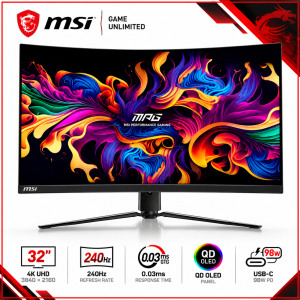
 MSI MPG 321CURX QD-OLED 31.5-inch 4K UHD 240Hz Curved Gaming Monitor, 1700R, 0.03ms GTG, DisplayHDR True Black 400, USB-C 98W, Black
4,099.00
 MSI MPG 321CURX QD-OLED 31.5-inch 4K UHD 240Hz Curved Gaming Monitor, 1700R, 0.03ms GTG, DisplayHDR True Black 400, USB-C 98W, Black
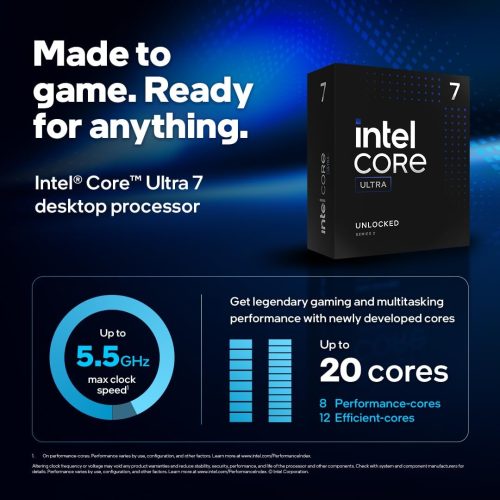
 Gaming PC – Intel Core i5-14400F | MSI RTX 5060 Ti 8GB | 16GB DDR5 RGB 5600MHz | 1TB NVMe SSD | Black Copy Title
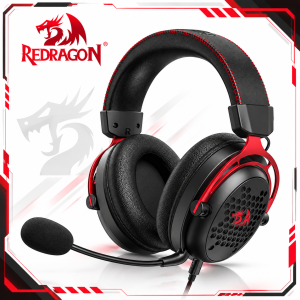 Redragon Diomedes H386 7.1 Surround Sound USB Gaming Headset
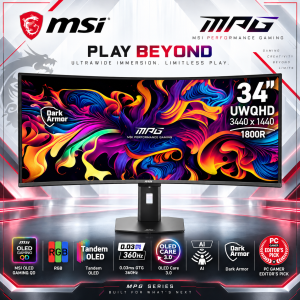 MSI MPG 341CQR QD-OLED X36 34-inch Curved Gaming Monitor, UWQHD 3440x1440, 360Hz, 0.03ms, 1800R, HDMI 2.1, DisplayPort 2.1a, HDR True Black 500, Black
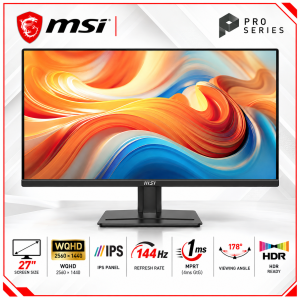 MSI PRO MP275Q E14 27-inch Business Monitor, WQHD 2K, IPS, 144Hz, 1ms MPRT, HDMI 2.0b, DisplayPort 1.2a, HDR Ready, Black
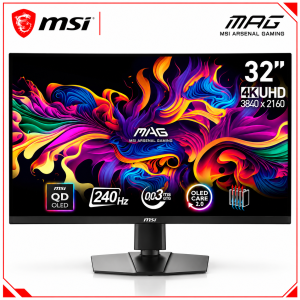 MSI MAG 321UPX QD-OLED 32-inch Gaming Monitor, 4K UHD, 240Hz, 0.03ms, HDMI 2.1, HDR True Black 400, Black
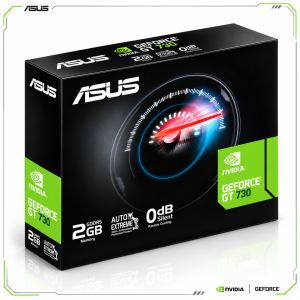 ASUS GeForce GT 730 2GB GDDR5 Silent Graphics Card, 4× HDMI, 4K Multi-Monitor Support
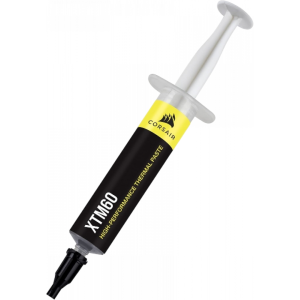 Corsair XTM60 High-Performance Thermal Paste - 3G
The authentic ASUS ROG Equalizer is a 12V-2x6 PCIe 16-pin GPU power cable designed to balance current distribution and reduce localized connector heating. Features premium embossed sleeving, purple connector details, gold-plated contacts, a 750mm length and an ASUS-recommended total power limit of 600W.
VIEW TECH SPECSThe ROG 20 Years identity is used only as a visual design style; ROG Equalizer is not officially an Edition 20 product.
Patented current balancing helps limit hot spots and thermal stress around GPU connectors.
ASUS recommends no more than 600W total cable load, not 600W per conductor.
ASUS specifies up to 17A short-term peak per pin, not continuous throughput.
Enlarged gold-plated spring contacts help lower connection resistance.
Includes GPU-First cable capability; voltage-sensing requires a compatible PSU.
Compatible with native ATX 3.1 12V-2x6 PSU connections and supported GPUs.
Flexible black embossed 750mm cabling with purple insertion detail and three cable combs.
Hardware load balancing operates upon correct installation; software Equalizer mode is still listed as coming soon.
Compatible use cases, not universal hardware compatibility guarantees.
For compatible modern GPUs that benefit from balanced current across a 16-pin connection.
For compatible GPU workstations; the cable does not increase PSU rated wattage.
Black-and-purple styling complements compatible ROG Thor III and ROG Strix Platinum power supplies.
750mm cable and three combs support routing, with 4cm GPU connector clearance recommended.
| Manufacturer | ASUS |
|---|---|
| Brand | ROG · Republic of Gamers |
| Product Name | ROG Equalizer |
| Model | ROG-EQUALIZER |
| Product Type | GPU power cable · not a power supply unit |
| Power Interface | 12V-2x6 PCIe 16-pin |
| Cable Length | 750 mm |
| Weight | 0.2 kg |
| Cable Appearance | Black braided sleeving · purple connector |
| Edition 20 Product Status | Standard ROG Equalizer model · not an Edition 20 product |
| Primary Function | Balanced current delivery across conductors |
|---|---|
| Recommended Total Power | 600 W |
| Peak Current Per Pin | Up to 17 A · short-term only |
| Conventional Cable Reference | 9.2 A per pin |
| Load Balancing | Patented bridging architecture |
| Design Objective | Reduce local hot spots and connector thermal stress |
| Connector Material Thermal Limit | 105°C · manufacturer reference |
| ASUS Severe Stress Test · Equalizer | Approx. 87.8°C |
| ASUS Severe Stress Test · Standard Cable | Approx. 146°C |
| Stress Test Conditions | 25°C ambient · 600W · 4 middle +12V wires deliberately disconnected |
| GPU-side Contacts | Enlarged gold-plated spring contacts |
| Insertion Cue | Dual-color purple connector design |
| PSU Standard | ATX 3.1 compatible |
|---|---|
| PCIe Standard | PCIe 5.1 compatible |
| Required PSU Connection | Native 12V-2x6 output |
| Third-party PSU Compatibility | Compatible ATX 3.1 PSUs with native 12V-2x6 |
| Graphics Card Connection | GPU with native 12V-2x6 16-pin input |
| Included Cable Specification | ROG Equalizer 12V-2x6 PCIe with GPU-First |
| GPU-First Voltage Sensing | Requires a supported PSU for active sensing |
| GPU Tweak III Power Detector+ Equalizer Mode | Coming Soon · ASUS product page |
| Conductor Material | Oxygen-free copper |
| Cable Plating | Tin plated |
| Cable Jacket | Embossed / etched flexible sleeve |
| Flame Resistance | UL1581 · ASUS stated |
| Cable Standard | UL758 · ASUS stated |
| Recommended GPU Connector Clearance | At least 4 cm to side panel |
|---|---|
| Installation | Fully seat 16-pin connector and avoid sharp bends |
| Cable Management | Three quick-release combs included |
| Equalizer Module Transplant | Not supported; do not disassemble |
| Hardware Balancing | Plug and play when correctly installed |
| Legacy PCIe 8-pin | Not a substitute for native 12V-2x6 |
| Equalizer Cable with GPU-First | 1 × 750 mm |
|---|---|
| Cable Combs | 3 × |
| Quick Start Guide | 1 × QSG |
| Manufacturer Warranty on ASUS Page | 3 years · local terms may vary |
| ASUS Specification Reference | ROG Equalizer · ASUS Tech Specs |
Use only with compatible ATX 3.1 PSUs with a native 12V-2x6 output and matching GPUs. Do not exceed ASUS's recommended 600W total cable load; 17A per pin is a short-term peak figure only. Seat the connector fully and leave at least 4cm clearance to the side panel to avoid sharp bends. Do not disassemble the Equalizer module or transfer it to other cables. GPU-First sensing requires a compatible PSU. ASUS labels Equalizer software monitoring in Power Detector+ as Coming Soon.
No. It is a GPU power cable and requires a compatible power supply.
ASUS recommends a 600W total limit; 17A per pin relates to short transient peaks only.
No; it requires an ATX 3.1 PSU with a native 12V-2x6 connector.
No; active GPU-First sensing depends on PSU support, although the listed cable includes GPU-First.
ASUS labels the Equalizer Power Detector+ mode as Coming Soon.
No. ASUS advises against disassembly or transferring the Equalizer module.
ASUS recommends at least 4cm between the GPU power connector and the side panel.